Your lifting app, now on Fire TV.
Already turning Apple TVs into home-gym displays — MaximumFit is now on Amazon Fire TV too. Start a workout on your iPhone or Android phone and your sets, reps, rest timer, and next-up exercise appear instantly on the big screen, with Spotify running your training playlist alongside.
How It Works
Scan once. Train heads-up.
No second sign-in and no typing on the remote. Pair your phone to the Fire TV with a quick QR scan and the big screen becomes your workout display.
Open on Fire TV
Launch MaximumFit from your Fire TV home screen. It shows a QR code, ready to pair.
Scan with your phone
Open MaximumFit on your iPhone or Android phone and scan the code. Pairing takes a couple of seconds — no passwords on the remote.
Start lifting
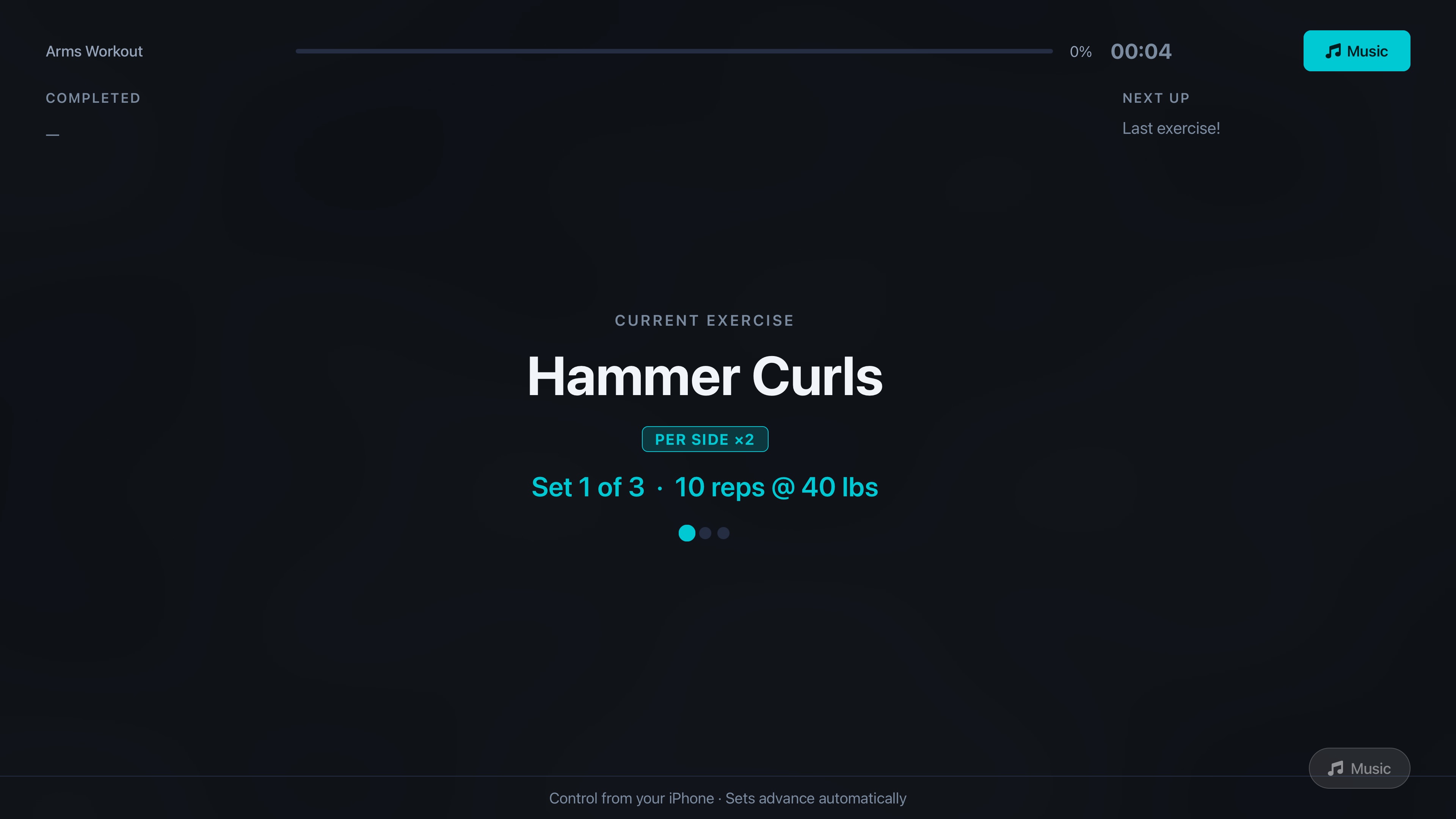
Begin a workout on your phone. Sets, reps, the rest timer, and your next exercise appear live on the TV.
On the Big Screen
Designed for 10-foot viewing.
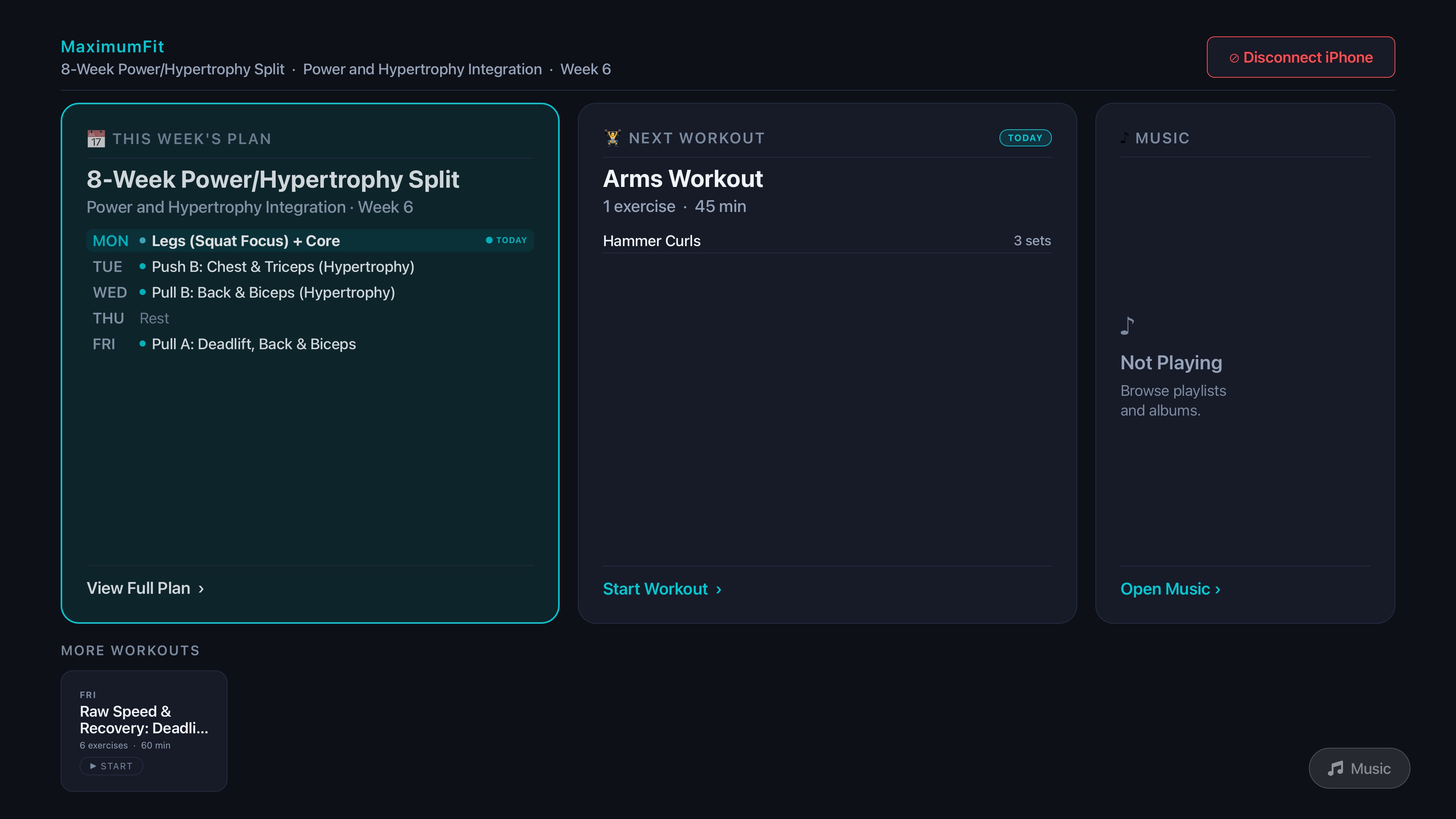
Big type, high contrast, and a D-pad-friendly layout you can read from across the garage — built for Fire TV, not a stretched phone screen.
Why it matters
The cheapest screen in your gym, finally useful.
No more squinting
Lock out, look up, see your set. The TV is bigger, brighter, and farther away than a phone on a bench.
Chalk-proof
Stop wiping your hands every set to tap a phone. Logging stays on your phone; the TV is glance-only.
A Fire TV Stick is enough
No premium hardware required. A sub-$50 Fire TV Stick plugged into any HDMI TV turns it into a training display.
Spotify built in
Your training playlist runs through the same screen. Browse, shuffle, and skip from the TV without leaving your workout.
On an Apple TV instead?
MaximumFit has a native Apple TV app too — same big-screen workout display, with Apple Music.
See the Apple TV appFAQ
Fire TV questions, answered.
How much does the Fire TV app cost?
It's free on the Amazon Appstore. The Fire TV app is a companion display for your phone — there's no separate purchase or subscription on the TV. You unlock everything by signing in to your MaximumFit account on your phone (iPhone or Android).
Do I need the MaximumFit phone app too?
Yes. You start, log, and finish your workouts on your phone — iPhone or Android — and the Fire TV mirrors the active session in real time so you can train heads-up. The TV is a glance-only display, not a control surface.
How do I connect my phone to the Fire TV?
Open MaximumFit on your phone and scan the QR code shown on the Fire TV. That pairs the two in seconds — no typing passwords on the remote. Once paired, your programs and live workout appear on the TV automatically.
Which Fire TV devices are supported?
Recent Fire TV Stick, Fire TV Stick 4K, Fire TV Cube, and Fire TV Edition / Omni smart TVs running current Fire OS. If your device has the Amazon Appstore, MaximumFit will run on it.
Does it play music during workouts?
Yes — the Fire TV app integrates with Spotify. Browse your playlists, start a workout mix, and control playback from the big screen between sets. You'll need the Spotify app installed and signed in on the same Fire TV.
Can I see my rest timer and next exercise on the TV?
That's the whole point. The Fire TV display shows the current exercise, your set targets, a full-screen rest timer, and a Next Up preview of the upcoming exercise — readable from anywhere in the garage.
Get MaximumFit on Fire TV.Free on the Amazon Appstore.
Install it on your Fire TV, then download MaximumFit on your iPhone or Android phone and scan the QR code to pair. That's it — no credit card to start your 14-day Pro trial.

Fire TV app is free · Get the phone app (iOS or Android) to start a workout and pair.