The lifting app for Apple TV.
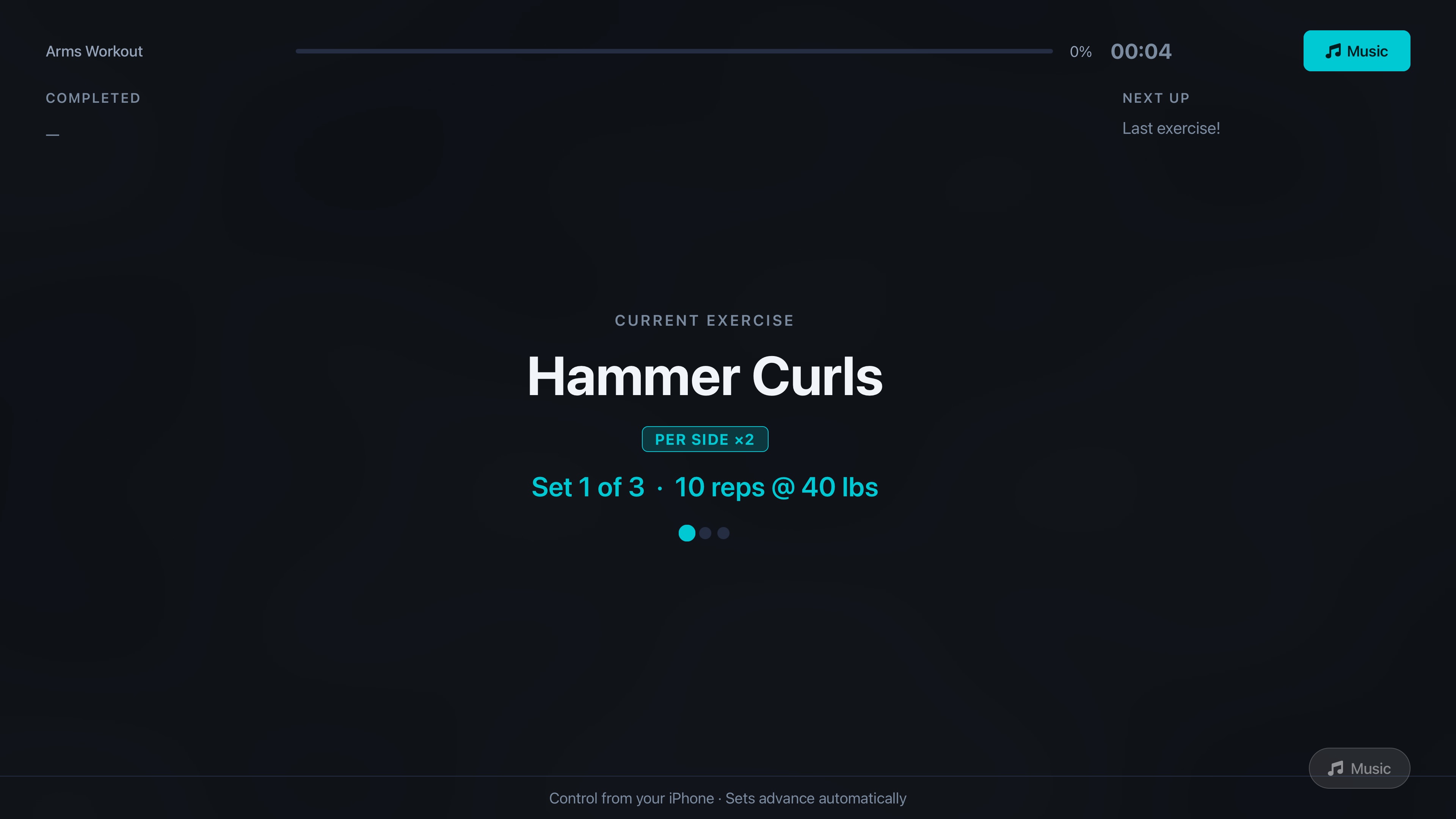
MaximumFit is the only serious lifting app with a real native Apple TV app — not AirPlay mirroring, not a watered-down web view. Start a workout on iPhone and your sets, reps, rest timer, and next-up exercise appear instantly on the big screen.
How It Works
Phone in your pocket. Eyes on the rack.
The Apple TV app is a workout display, not a control surface. You log everything on iPhone — the TV is the heads-up readout you can see from anywhere in the gym.
30-second demo
iPhone → Apple TV handoff during an active set
Start on iPhone
Open MaximumFit, pick your program day, tap Start Workout. Your iPhone can stay on the floor or in your pocket.
TV picks it up live
The tvOS app mirrors the active session through iCloud — no AirPlay, no pairing. Sets, reps, rest, next-up.
Train heads-up
Look up between sets. No fumbling with chalked hands. The rest timer is huge and the next exercise is already cued.
On the Big Screen
Designed for 10-foot viewing.
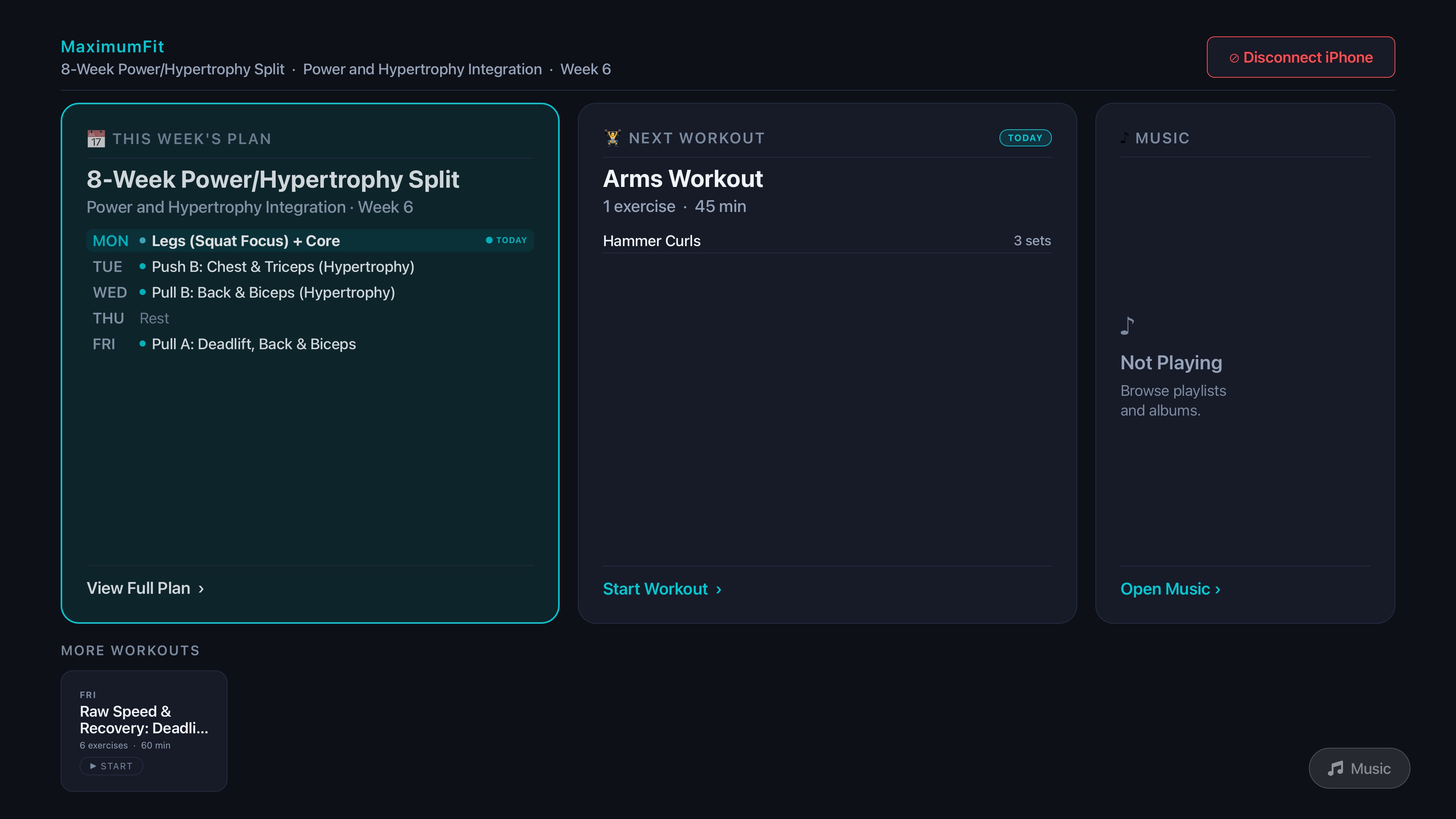
Big type, high contrast, and a layout you can read from across the garage. Built specifically for tvOS — not a stretched phone screen.
Why it matters
The screen you already have, finally useful.
No more squinting
Lockout, look up, see your set. The TV is bigger, brighter, and farther away than a phone on a bench.
Chalk-proof
Stop wiping your hands every set to tap a phone screen. Logging stays on iPhone; the TV is glance-only.
Rest timer that actually nags you
A full-screen countdown across the room is harder to ignore than a 10-pixel widget on a watch face.
Plays your music too
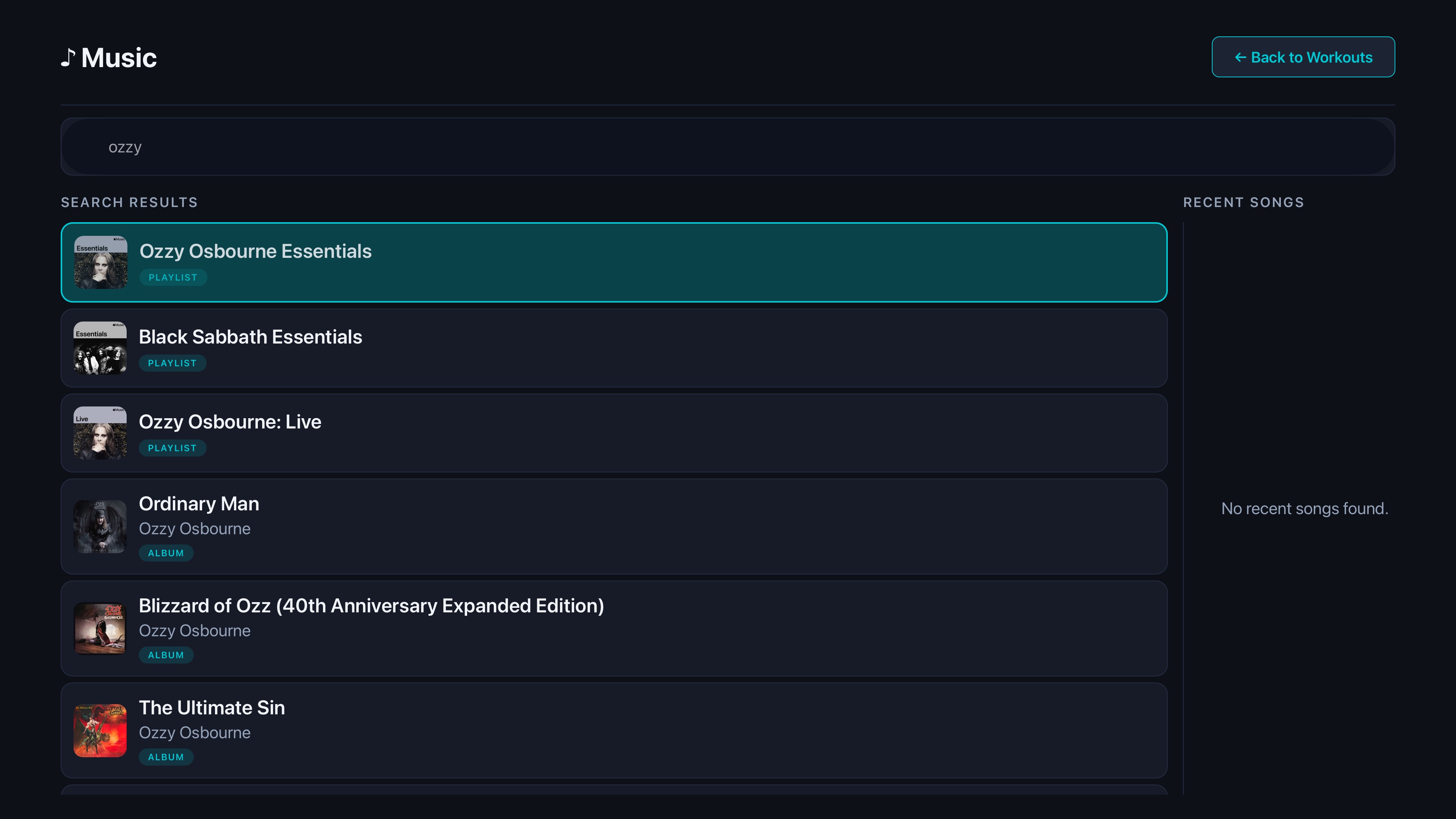
Your training playlist runs through the same display. No app-switching mid-set to skip a bad track.
vs the competition
The only lifting app on Apple TV.
Strong, Hevy, and Fitbod are great phone apps. They don't run on your TV — and that's the difference if you train at home.
| Feature | MaximumFit | Strong | Hevy | Fitbod |
|---|---|---|---|---|
| Native Apple TV app | Yes | No | No | No |
| iPhone + iPad support | Yes | Yes | Yes | Yes |
| AI chat coach | Yes | No | No | No |
| AI program builder | Yes | No | No | Partial |
| AI nutrition (photo log) | Yes | No | No | No |
| Body composition tracking | Yes | No | No | No |
| Apple Health sync | Yes | Yes | Yes | Yes |
| Home & Lock Screen widgets | Yes | Yes | — | — |
Comparison reflects publicly available information as of May 2026. Competitor features change; verify on each app's App Store page. Trademarks belong to their respective owners.
FAQ
Apple TV questions, answered.
Do I need an iPhone to use MaximumFit on Apple TV?
Yes. The Apple TV app is a companion display for your iPhone session — you start, log, and finish workouts from your phone, and the TV mirrors the active workout in real time so you can train heads-up.
Which Apple TV models are supported?
MaximumFit runs on Apple TV HD and Apple TV 4K running recent versions of tvOS. If your Apple TV supports the App Store, MaximumFit will run on it.
How does the iPhone-to-Apple-TV sync work?
When you start a workout on iPhone, the tvOS app picks up the active session through your iCloud account and updates set-by-set in real time. There's no AirPlay mirroring lag, no pairing dance, and no second sign-in.
What if my home gym TV isn't an Apple TV?
You need an Apple TV box (HD or 4K) connected to a regular HDMI TV. The TV itself doesn't need to be a smart TV — Apple TV provides the runtime. Most home gyms can be upgraded with a $129 Apple TV HD.
Is the Apple TV app a separate purchase?
No. The Apple TV app is included with MaximumFit at no extra cost. Download it from the tvOS App Store and sign in with the same Apple ID you use on iPhone.
Can I see my rest timer and next exercise on the TV?
Yes — that's the whole point. The Apple TV display shows the current exercise, your set targets, a full-screen rest timer, and a Next Up preview of the upcoming exercise so you can mentally prep without picking your phone back up.
No Apple TV? It's on Amazon Fire TV too.
The same big-screen workout display now runs on Fire TV — free on the Amazon Appstore, with Spotify music built in.
See the Fire TV appGet the Apple TV app.Free with your 14-day Pro trial.
Download MaximumFit on iPhone, then grab the companion app on the tvOS App Store. Sign in with the same Apple ID — that's it. No credit card to start.